
Master NotebookLM – Free Workshop for Teachers
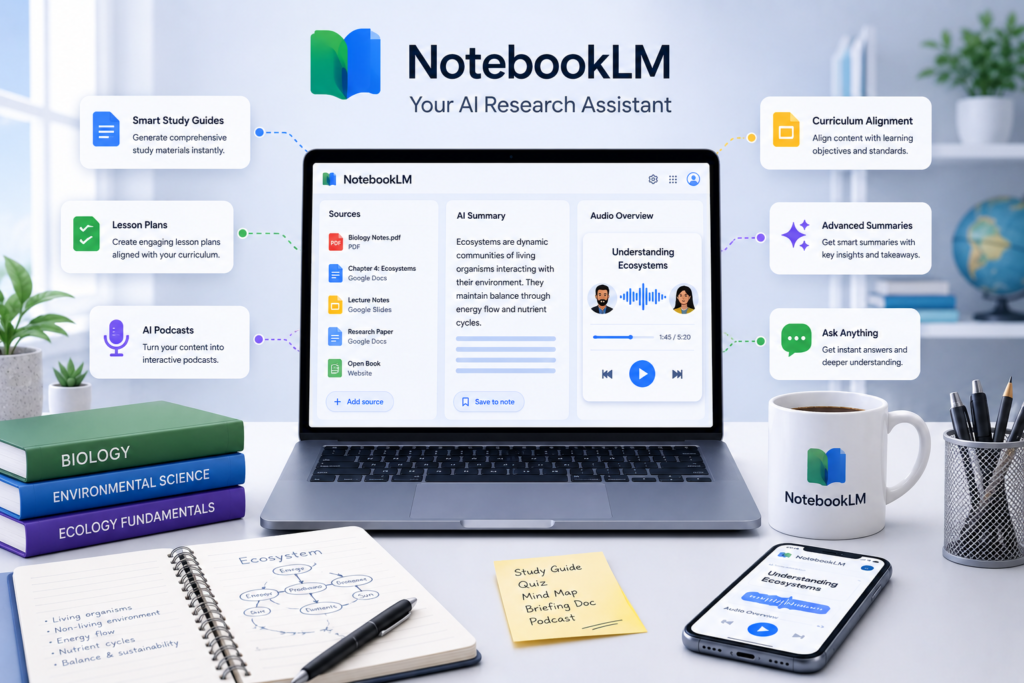
Discover the AI Tool That’s Transforming Teaching
Learn how to use Google’s powerful NotebookLM to create study guides, lesson plans, podcasts, and interactive materials in minutes — completely free.
Are you spending hours creating lesson plans, study guides, quizzes, and teaching resources? What if you could generate high-quality, customized materials in just minutes using a free Google tool that most teachers haven’t fully discovered yet?
Join this practical, hands-on workshop and master NotebookLM — Google’s smartest AI for educators.
Why Teachers Are Excited About NotebookLM
NotebookLM is a game-changing AI tool from Google that turns your documents, notes, textbooks, or curriculum into powerful learning resources. Unlike generic chatbots, NotebookLM stays grounded in your materials, ensuring accuracy and relevance for your classroom.
In this free workshop you will learn how to:
-
- Instantly create student-friendly study guides and summary notes
-
- Generate ready-to-use lesson plans aligned with your curriculum
-
- Produce audio podcasts featuring two AI hosts discussing your topic (students love them!)
-
- Build interactive FAQs, glossaries, timelines, and briefing docs
-
- Create quizzes, worksheets, and revision materials in seconds
-
- Use NotebookLM as your personal teaching assistant
All of this is 100% free with a regular Google account.
What You’ll Get in This Live Workshop
Workshop Highlights:
Duration: 90 minutes (including Q&A)
Format: Live online (Zoom)/Google Meet with screen sharing and hands-on activities
Date & Time: Upcoming Session Slots will be Communicated to your registered Email and Mobile.
Conducted by: Salman Ghanchibhai
1.Introduction to NotebookLM
What it is and why every teacher should use it
How it differs from ChatGPT, Gemini, and other tools
2.Mastering Sources & Grounding
How to upload textbooks, PDFs, notes, syllabi, and previous worksheets
Best practices to get accurate, curriculum-aligned outputs
3.Creating Core Teaching Materials
Lesson plans in your preferred format
Differentiated study guides for different ability levels
Concept maps, mind maps & timelines.
4.The Magic of Audio Overviews
How to generate engaging educational podcasts
Using “Audio Overview” as a revision tool and for flipped classrooms
Creative classroom applications (student projects, listening comprehension, etc.)
5.Advanced Techniques & Workflows
Building a complete unit package in under 15 minutes
Combining NotebookLM with Google Docs, Slides, and Classroom
Time-saving daily workflows for busy teachers
6.Live Q&A + Resource Kit
Get all templates and prompt guides used in the session
Direct answers to your specific subject/grade challenges
Who Should Attend?
School teachers (all subjects and grades)
College and university lecturers
Curriculum developers and coordinators
Homeschooling parents
EdTech enthusiasts and teacher trainers
No prior AI experience needed. Just bring your laptop and a Google account.
What Teachers Are Saying
“I created a complete lesson plan + study guide + podcast for my Class 10 Science chapter in 12 minutes. This is revolutionary!” — Priya Sharma, Science Teacher
“My students are obsessed with the NotebookLM podcasts. They listen to them while commuting. Best engagement tool ever.” — Rahul Mehra, History Teacher
“Finally an AI tool that doesn’t hallucinate because it sticks to my own notes and textbook!” — Anjali Verma, Mathematics Educator
Frequently Asked Questions
Is NotebookLM really free? Yes. All features used in this workshop are available for free with a standard Google account.
Can I use this for my specific subject? Absolutely. The workshop is designed to work for any subject — Science, Maths, Languages, Social Studies, Commerce, etc.
I teach primary grades. Is this useful? Yes! We’ll show age-appropriate ways to use NotebookLM for younger students.
Don’t miss this opportunity to save hours every week while creating better resources for your students.
Join the growing community of teachers who are already mastering NotebookLM.